
Website build guide
How we built the Uncle Osaka concept site
Follow the build from two painted bakers to a stamped cheesecake, then try the scroll technique on a page of your own.
Ahmad Rasas · This is an independent bilingual concept. The order flow is a demonstration.
Download the Arabic PDF View the project case study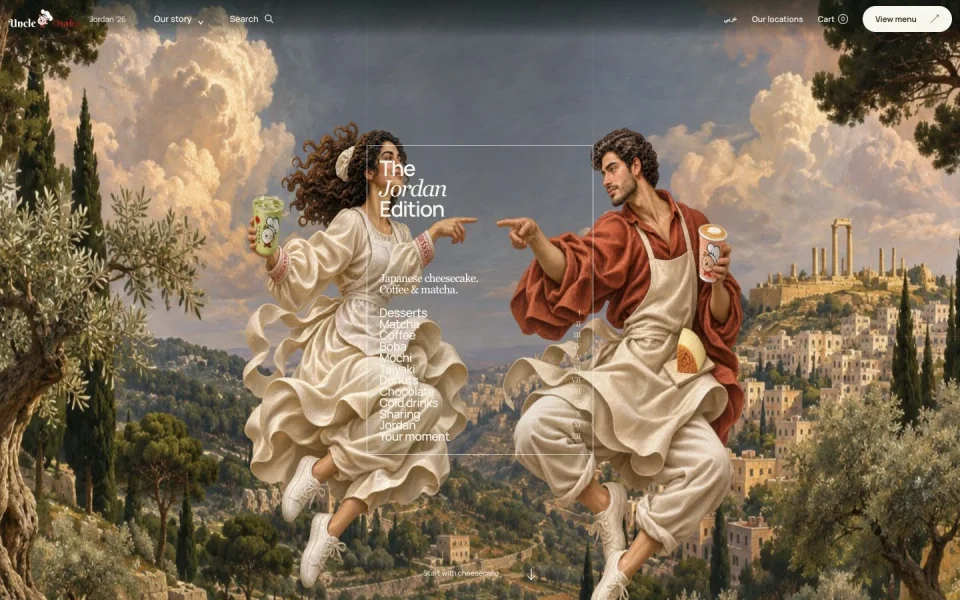
Try the reveal
Move the slider forward and back. The same progress value always shows the same frame. Open the example to test it with page scrolling and edit the source.
Map the page before adding motion
We mapped the route from the first painting to a real product and then to a browsable menu.
- Page structure
- Open with the bakers and the cheesecake reveal. Give matcha, coffee and boba separate scenes, and keep the menu and product cards easy to reach.
- Separate scene and data
- src/chapters.js defines the chapters and their order. src/data.js holds the catalog. src/home.js renders the page. This lets you revise presentation and product data separately.
- Try it
- Sketch four boxes for your opening, first product, browsing and final action. State what the visitor should understand or be able to do in each.
Before adding animation, open the menu from a direct link with your keyboard.
Split the painting and the product layer
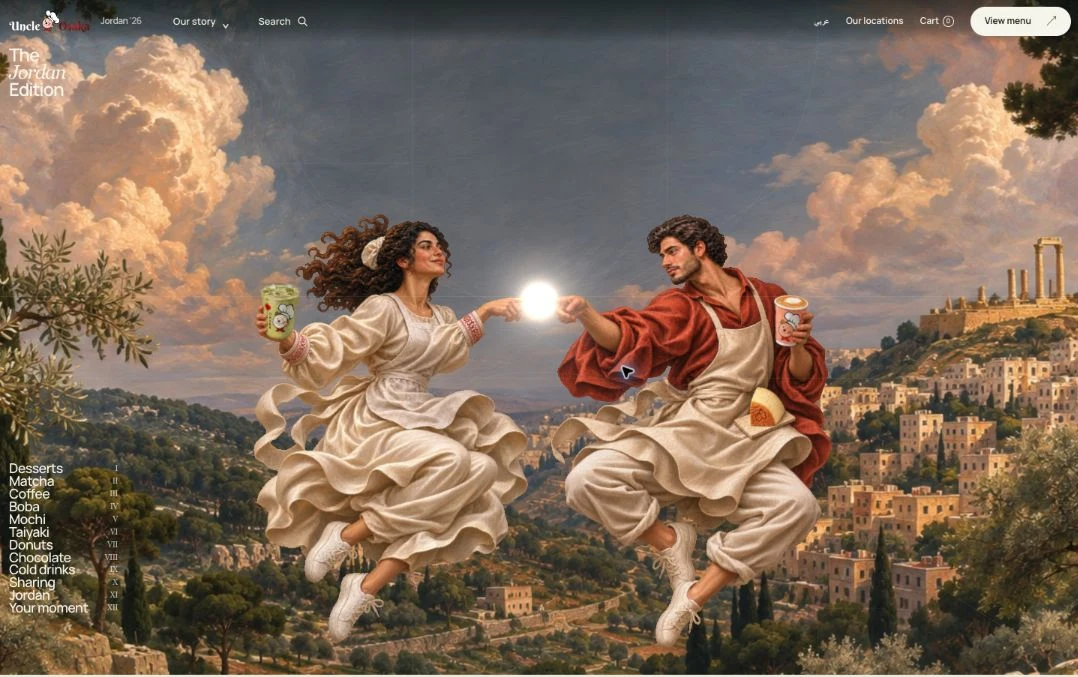
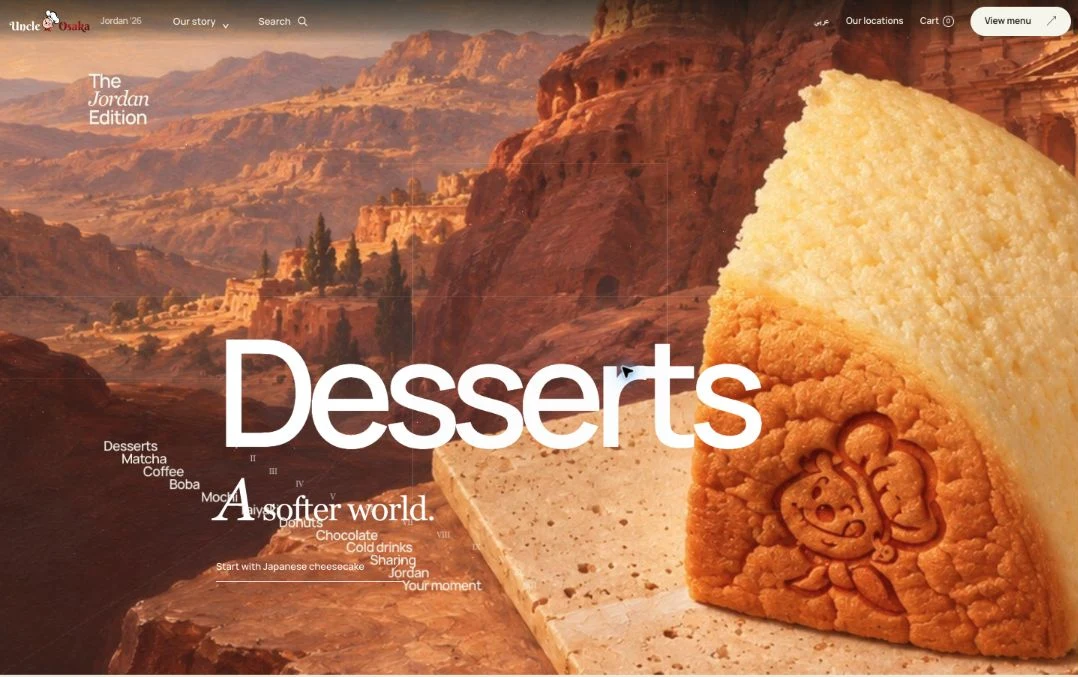
A background, separately animated arms and hands, and a cheesecake image make up the opening.
- Prepare the layers
- Build the backdrop and product layer at the same aspect ratio. Separate the moving art and prepare a usable static poster for each scene.
- Time the reveal
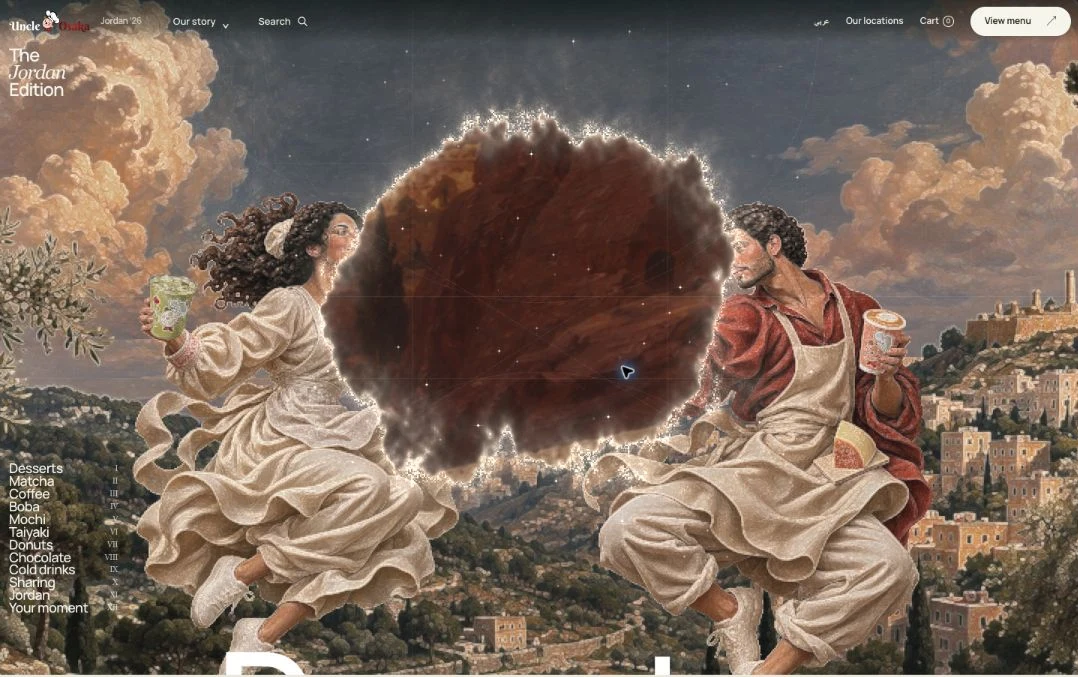
- The bakers reach, the glow follows the contact point, and an irregular opening expands over the product artwork.
- Find the implementation
- src/scene.js assembles the Three.js scene. The hero-hand-rig.js, hero-relief.js and hero-reveal.js modules handle the arm and hand motion, the relief, and the reveal layer.
Review the start, fingertip contact and completed reveal as three still frames. The focal point should be clear in each.
Drive the scene with a value between 0 and 1
The scene reads the scroll position. Returning to a position returns to the same state.
- Measure the usable distance
- Subtract the sticky stage height from the chapter height. Divide the distance travelled by that result and clamp the value to zero through one.
- Choose a reveal window
- The exercise starts the reveal at 35% and completes it at 85%. Change those values to adjust when the product appears.
- Use native page scrolling
- Schedule scroll updates in one animation frame. In the production concept, scroll-controller.js also coordinates chapter navigation.
const clamp = n => Math.max(0, Math.min(1, n));
const distance = chapter.offsetHeight - stage.offsetHeight;
const travelled = -chapter.getBoundingClientRect().top;
const progress = clamp(travelled / Math.max(1, distance));
const reveal = clamp((progress - .35) / .5);
stage.style.setProperty('--radius', reveal * 115 + '%');
Scroll back to the start. The scene should reverse and pause at any point while you are still.
Lead from a scene into the menu
A scene sets the context for the category. Cards give the visitor a way to find and read about individual products.
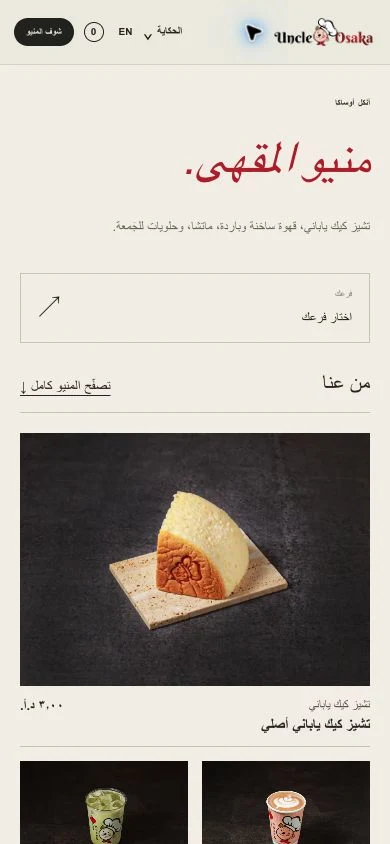
- Map each chapter to a category
- Give the chapter links meaningful names and connect the scene to the relevant product group. Keep those links usable when motion is unavailable.
- Put the details close
- Place the card list after its scene and give each card a short label, an image and brief copy. Preserve the heading hierarchy.
- Reuse the data
- The concept links chapters and catalog data in chapters.js and demonstrates ordering in commerce.js. Test the flow with sample entries.
Try the menu in both languages. Switch languages and check the context is still easy to find.
Tune framing and loading for phones
The wide layout shows both bakers. The phone crop follows the ivory baker and keeps the point of contact on screen.

- Choose the focal point
- Check the beginning, fingertip contact and finished reveal at 320 and 390 pixels, including the right-to-left layout.
- Keep a poster ready
- Show a static image while a complex scene loads. Warm the neighbouring chapters and test fast scroll in both directions.
- Respect reduced motion
- Use prefers-reduced-motion to show the product, headings and menu links immediately. Provide the same access when WebGL is unavailable.
Test a slow connection, then scroll quickly in both directions. Watch for flashing, cut-off words and trapped scroll.
Build and test your own version
Start with the downloadable example. Get one chapter working before you add a catalog or more scenes.
- Swap in your materials
- Replace the two visual layers with artwork you can use. Adjust the reveal origin at different sizes and include a product description and a link onwards.
- Check motion and access
- Test fast and reverse scroll, 200% zoom, keyboard navigation and reduced motion. Disable JavaScript and confirm the content and links are available.
- Review before sharing
- Check phones and desktop in Arabic and English. Review contrast, text and first paint. Label a demonstration order flow near its action.
A visitor should be able to identify the product, read its details and choose their next step with motion turned off.